What to know
- Computer use is a public preview in Copilot CLI and the app.
- Application control requires approval and can be disabled by policy.
- A completed workflow needs checks beyond successful clicks.
From code tools to application controls
GitHub’s October 1 announcement puts computer use in public preview in Copilot CLI and the Copilot app on macOS and Windows. The feature can inspect application context and perform actions such as entering text, clicking and navigating. GitHub says users approve application control, can review persistent allowances, and can disable the feature. Organization settings can also block it; macOS requires system accessibility and screen-recording permissions.
The product change expands where an agent can work. A desktop application without an API may still expose an interface the agent can operate. That creates possibilities for legacy workflows, but also means the agent is acting through the same controls a person uses. A visible button can submit an expense, overwrite a field or share a document. Its ordinary appearance says little about the consequence.
Analysis: Permission needs a task boundary
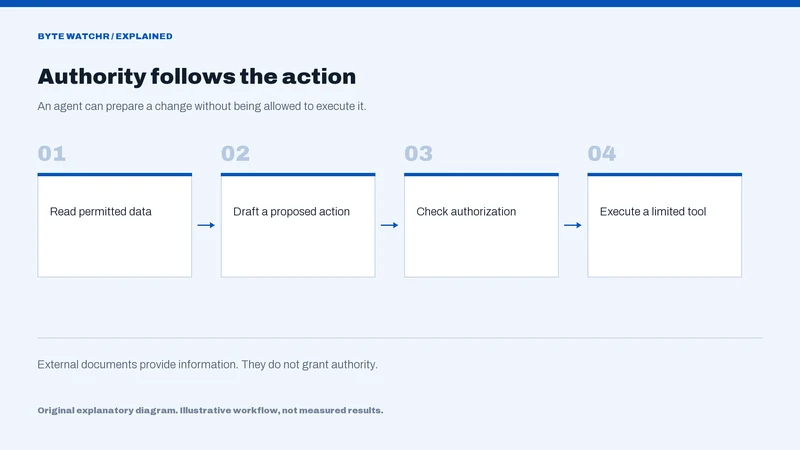
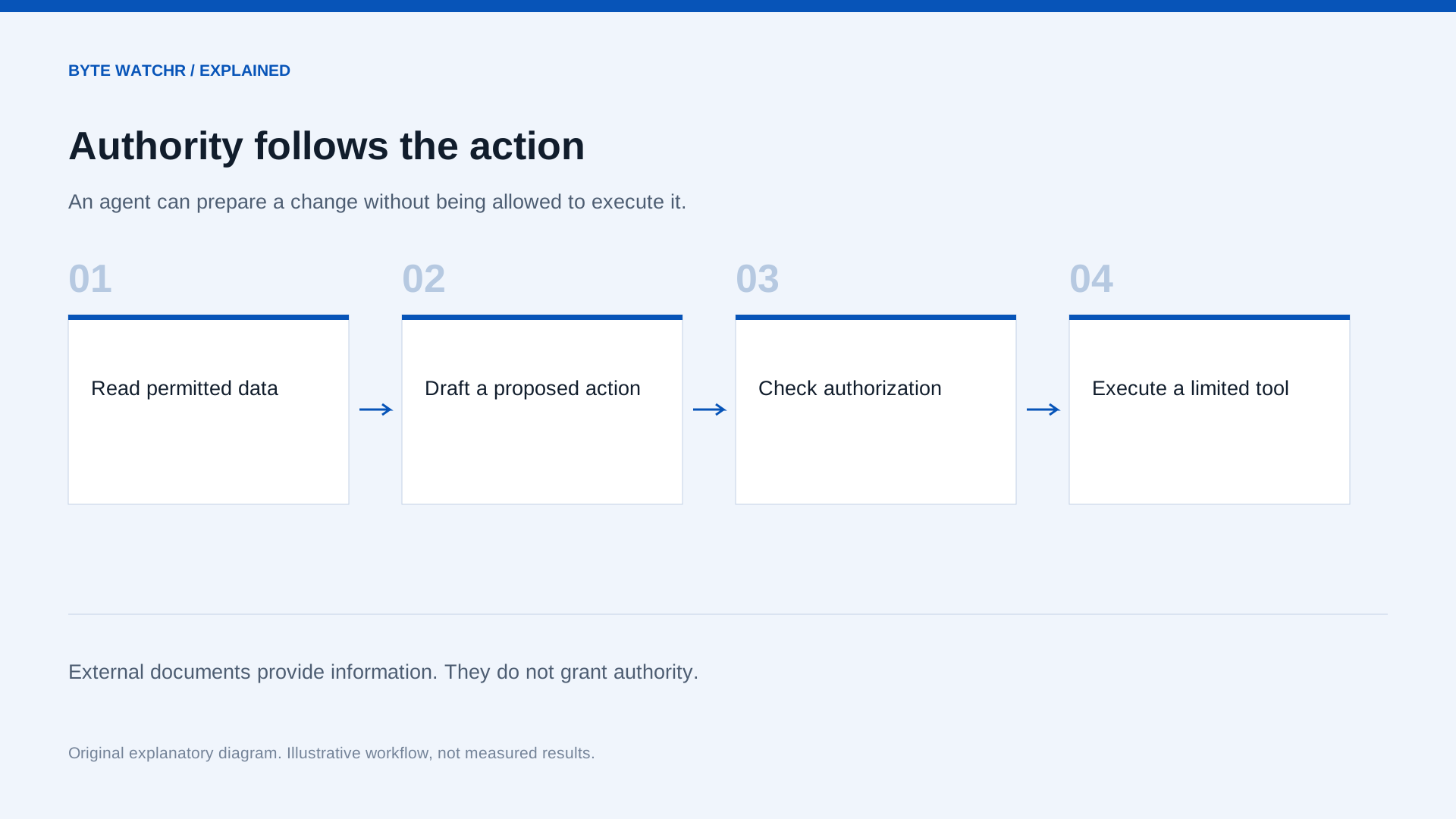
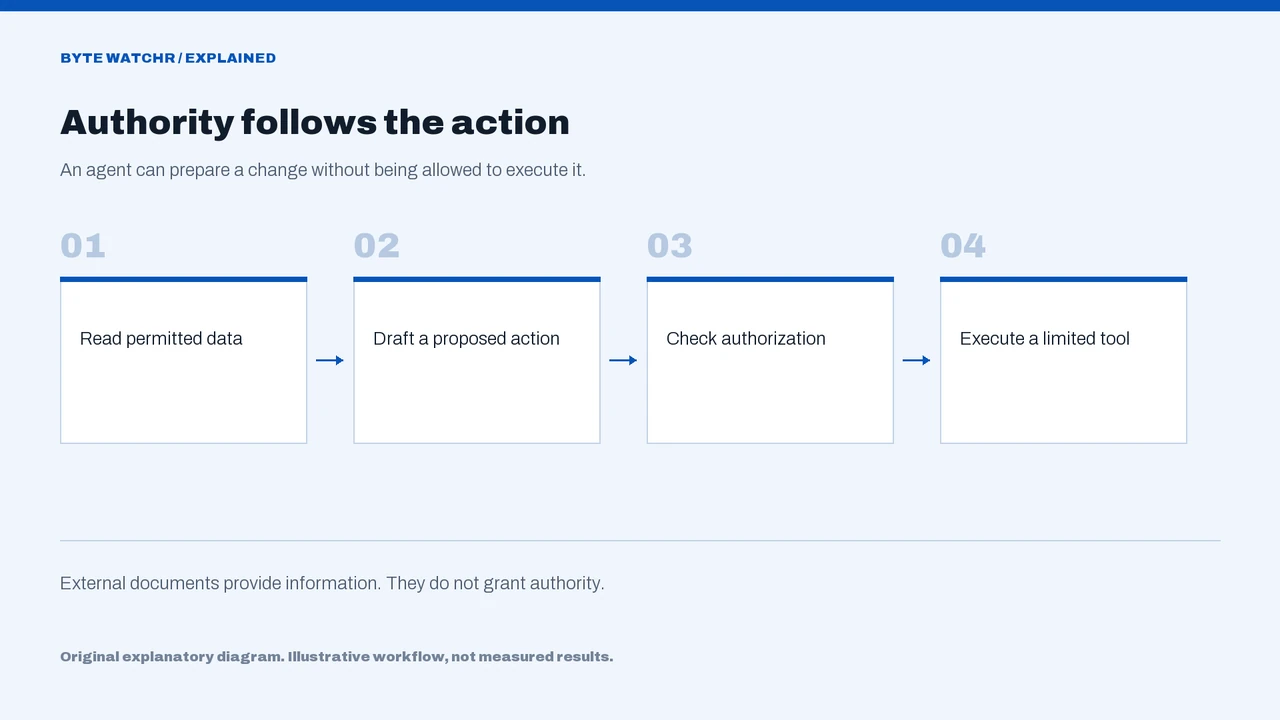
Approval to operate an application is broad compared with approval to perform one defined action. Consider a hypothetical request to prepare an expense report. Reading receipts, filling a draft and submitting the report are distinct stages. A user may authorize the first two while expecting a review before the third. Useful agent instructions should express that stopping point clearly.
Interface automation also needs to handle ambiguity. A dialog might appear unexpectedly, a field may already contain a correction, or a service may return a delayed response. Repeating the last action could produce duplicate work. A good evaluation therefore includes interrupted tasks and visible uncertainty, not just a demonstration where every control appears in the expected place. Those are proposed test conditions, not findings about the preview.
Practical implications: Review the resulting state
Teams testing desktop agents can start with reversible drafts in a dedicated workspace and specify the applications, data and final action permitted. The acceptance check should inspect the saved document or application record. A sequence of successful tool calls is evidence about execution, but it is not enough to establish that the intended business result occurred.
Existing governance should follow the agent into the desktop. Data access, approval responsibility and records of meaningful changes still matter when the mechanism is a click rather than an API call. GitHub’s announcement establishes availability and its stated control model. It does not establish reliability across every application. The useful next evidence will show how the preview behaves when interfaces change, permissions are restricted and a person corrects the task halfway through.
Sources & further reading
Factual statements are grounded in the linked material. Interpretation and illustrative examples are Byte Watchr analysis. Vendor claims are identified as claims, rather than independent testing.
The event date records the source announcement or documented operation. The coverage edition groups recent developments and is separate from the publication date. Actual publication is recorded above.
Corrections policy · About this byline