
What to know
- Visual recognition and accurate numerical interpretation are different tasks.
- Document layout can change which text belongs to which field.
- Keep the original artifact available for verification and correction.
One interface, several problems
A multimodal model can process more than text, potentially accepting images, audio or other inputs. That broad interface is useful, but it groups together very different tasks. Describing a photograph, transcribing a recording and extracting a total from an invoice do not share the same definition of success.
A helpful caption can tolerate some uncertainty about background details. A financial extraction cannot tolerate assigning a subtotal to the final amount due. Before choosing a model, specify what information the system must preserve and which mistakes would change a decision.
Layout carries meaning
A document’s structure can be as important as its words. Columns, footnotes, tables and annotations establish relationships that a plain text transcript may lose. A scanned page with a rotated stamp can contain multiple layers of information that are difficult to separate.
For a form-processing workflow, test whether labels remain attached to the correct values. Include scans with faint text, multiple pages and repeated field names. An answer that contains every visible number can still be wrong if those numbers are associated with the wrong row or account.
Charts deserve numerical checks
A model may correctly identify that a line rises while misreading the scale. Truncated axes, logarithmic scales and unclear units can change the interpretation. Visual impressions should be checked against the underlying data when a conclusion depends on the exact magnitude.
Preserve the original chart and record which values the application extracted. If the source data is available, prefer computing a percentage from that data over estimating it from pixels. When only the image exists, communicate uncertainty rather than presenting an inferred value as a precise measurement.
Treat artifacts as untrusted input
An image or document can carry instructions as well as information. Text embedded in a screenshot may ask an AI system to change its behavior. If the application connects visual input to tools, the trust boundary becomes a security question as well as an accuracy question.
Keep external artifacts from granting authority. A screenshot of a payment request should not be sufficient permission to send money. Apply the same approval and access controls that would govern the action if the request arrived as ordinary text.
Make correction part of the workflow
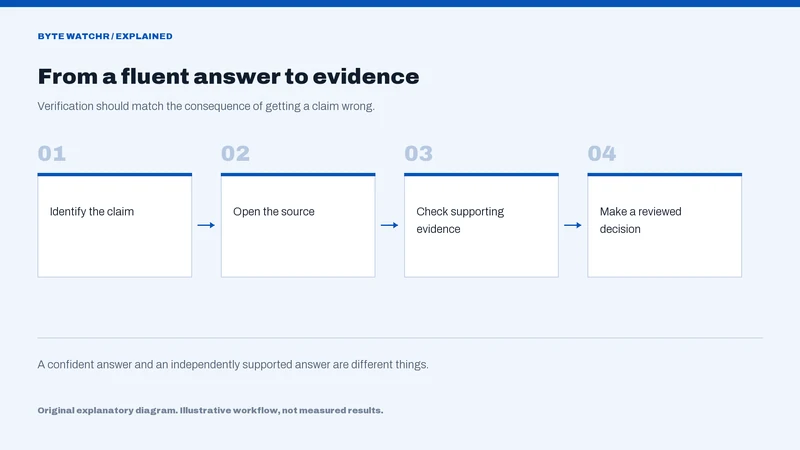
Display extracted fields beside the original artifact so reviewers can see the relationship. Record the model version and any manual correction. This creates a useful evaluation set and helps distinguish recognition errors from mistakes in the downstream business logic.
Multimodal capability becomes valuable when the system preserves evidence and makes uncertainty manageable. Accepting another input format is a starting point; dependable interpretation is the work that follows.
Sources & further reading
Factual statements are grounded in the linked material. Interpretation and illustrative examples are Byte Watchr analysis. Vendor claims are identified as claims, rather than independent testing.
This article belongs to Byte Watchr’s launch collection. The edition date organizes evergreen coverage and does not imply historical publication. Actual publication is recorded above.
Corrections policy · About this byline
,_Charleston_Road,_Google-Schild_--_2022_--_2896.jpg)